"The one at the top right, third across, the last of them." That is what an instruction for an unlabelled button turns into.
Looking at the screen you know which one it is. Writing it down is another matter: an icon with no label has no name, and there is no word for it anywhere on the screen.
What is left is the place. And a place put into words picks up conditions as it goes.
Buttons with no name are ordinary on real screens
Admin panels, one tool per project, analytics dashboards. A button that is only an icon looks unremarkable in any of them.
Looking for the name runs into a wall halfway. There is no label on screen. There may be an internal name — a setting key, a database column — but the person asking has no way to reach it. A nickname that only the daily user of that screen knows means something else entirely.
So searching by name was never going to work for an unlabelled target.
Describing a place in words piles up conditions
One target is fine: "the button at the top right". Several targets and you need conditions.
Three icon buttons sit at the top right of a screen. Written out, that is "the one at the top right, of the three in a row, the last of them" — a long sentence. Shorten it and two conditions survive. Both are relative, and both are relative to the screen in front of you.
A different machine, a different window width, a different scroll position, and "the top right" is a different button. Conditions do not survive being written down. The screen does.
One arrow leaves only "here"
Put one arrow on that spot and the place is settled. No conditions to line up.
What is left in the request is what you want done. No name is needed — there is nothing to give a name to in the first place.
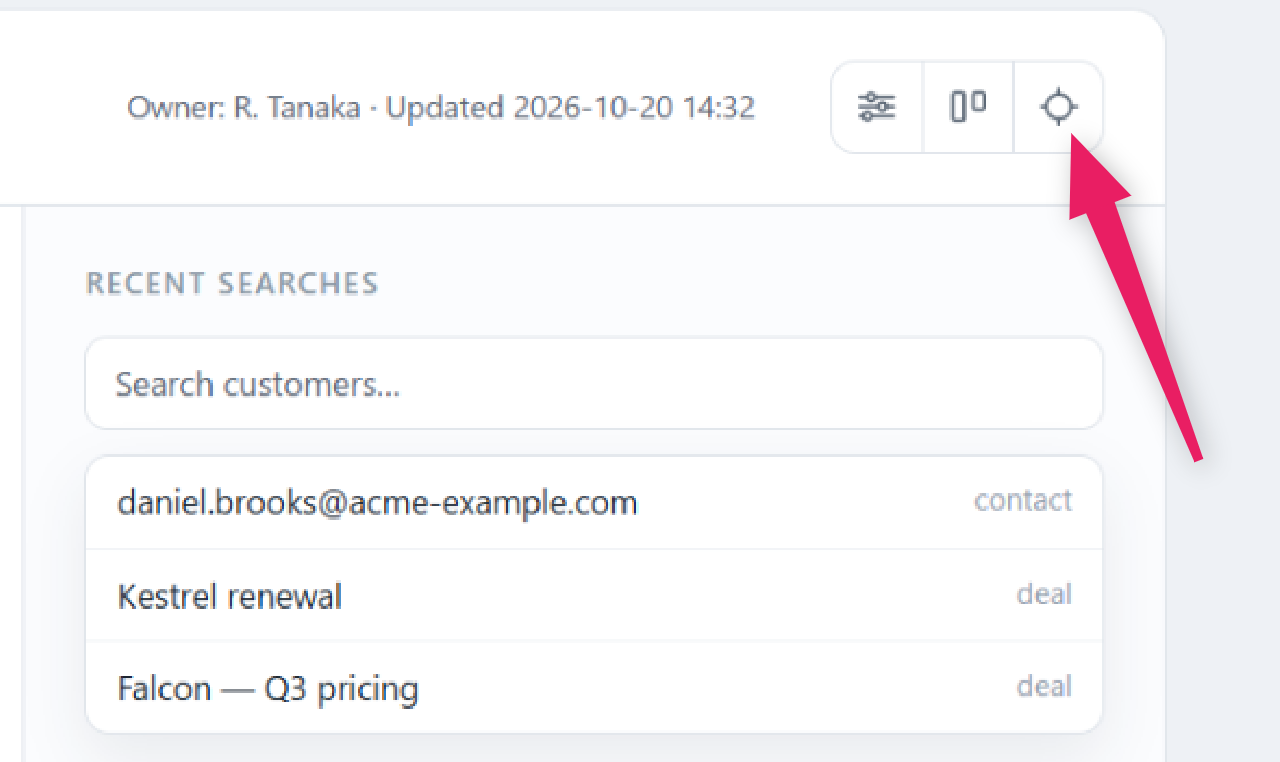
The image above is a screenshot of a fictional customer management screen (Nimbus CRM). A single arrow points at the rightmost of the three icon buttons in the top right. The button carries no label, so there is no name to add to the description. Which button it is, the direction of the arrow already answers.
Some things can only be pointed at with a box
Some unnamed things are not a point.
A crossing on a chart is one of them. An arrow would work, but two lines meeting is a stretch rather than a point, and a box can mark the whole stretch. The arrow's shaft would also read as one more line.
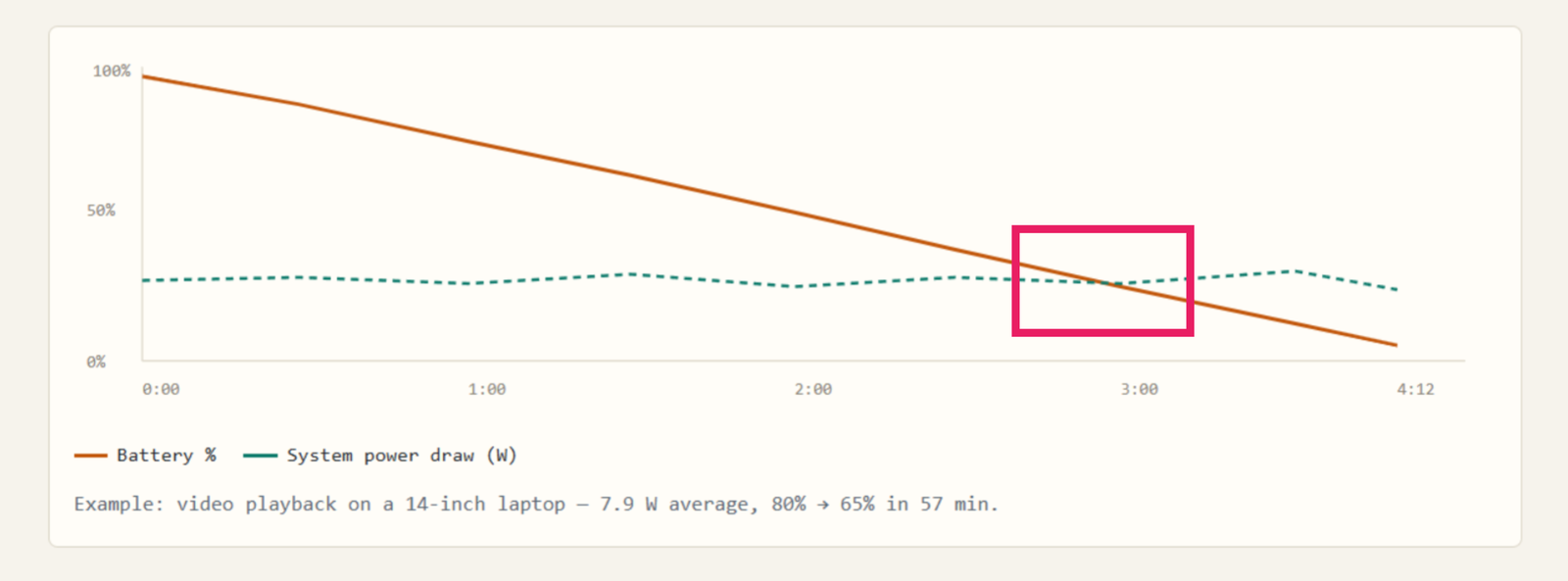
The image above is a line chart from wattlog . The place where the battery percentage line and the system power draw line meet is enclosed in a box. The box covers the stretch around the crossing, not a single point.
Three decisions before you ask
Settle them before capturing and the explanation stays short.
Decide the question first
Once "what do I want to know from this screen" is fixed, what you capture and what you point at are fixed too. Without it, you end up adding "which one did you mean" to the message after the fact.
One arrow per target
One target, one arrow. Two or more and you are back to writing "which icon" in the chat. One arrow removes that sentence.
Write the name in the chat when the name matters
An unlabelled button cannot be pointed at by name, but sometimes the name itself is what you need: the official setting name, the API field, the match against another record. None of those travel on an arrow. Write them in the chat message.
Names go in the chat, place goes in the arrow, the request is one sentence. Three lines is enough.
When one arrow still does not settle it
One arrow sometimes is not enough to identify the target. The usual cases are two screens on screen at once, and a screen whose state changes.
With two screens, decide which one you are talking about first. Capture both and the direction of the arrow alone will not tell them apart.
When the state moves, capture the state that holds still. If the screen differs before and after the action, split it into two images, or narrow down to one frame that does not move.
Either way, deciding before you capture is faster than choosing after.
The earlier article ( When words get clumsy, one arrow does the describing ) covers the same technique from another side. The full range of "where" — including the unlabelled — is collected there.
The arrow goes on top of a screen captured with Kiritasu , a PC app that runs on Mac and Windows.